FormCV - a Computer Vision aided forms readign solution
In my third year at Mechatronics Engineering, I joined a junior consulting named iNOVEC. It was a team of around 15 students, mentored by one of our professors. The purpose of the consulting teams was to give students some entry experience to the ambient of a company, so we could learn how to behave around colleagues, communicate effectively, organize our time and so on. In iNOVEC, we developed a variety of projects, from field trips to industrial automation.
So, when I joined the group, I was interested by one of the projects active, which intended to develop a solution for the our very superiors, at UNICESUMAR Busineess. The problem we were trying to tackle was that there were around 250 consultants of different consulting teams under the UNICESUMAR Business, and every single one of us had to deliver a monthly form describing our worked ours, then, every month, a secretary would have to sum the hours by hand and feed a Excel sheet, then generate certificates, also by hand, for everyone who achieved at least 20 hours in the last two months. All this work would take up to 2 weeks of full-time work!
So, when I joined the project, it was called “Access Control”, and the idea was to develop a RFID solution so every consultant would only have to approximate a card when they came in and again when they went out. Unhappily, the manager of the project wasn’t a very active member of the consulting team, and soon quitted.
I assumed the project as its manager then, and started modelling the solution. It was a Friday, I remember, and I went all the way from home to the university to present the model to the head of the department. She listened carefully, and gave I simple “nice work, but it wouldn’t work”. She then explained that most of the consultants would not go there to work, so a fixed solution like a RFID reader wouldn’t solve the problem. She also presented her reasons for prefering a paper based solution (which I did not agree with, I mus say).
After that, driving the 60Km back home, I had the idea that turned into this project: if there are scanned tests, then it might be possible to make a scannable form and then develop an application to read it! This is how FormCV was born!
FormCV
FormCV is a Computer Vision solution, composed of a standard form and an computer application developed in Python with OpenCV for image processing, PyQT for the GUI and Pyinstaller for deployment.
Scannable Forms
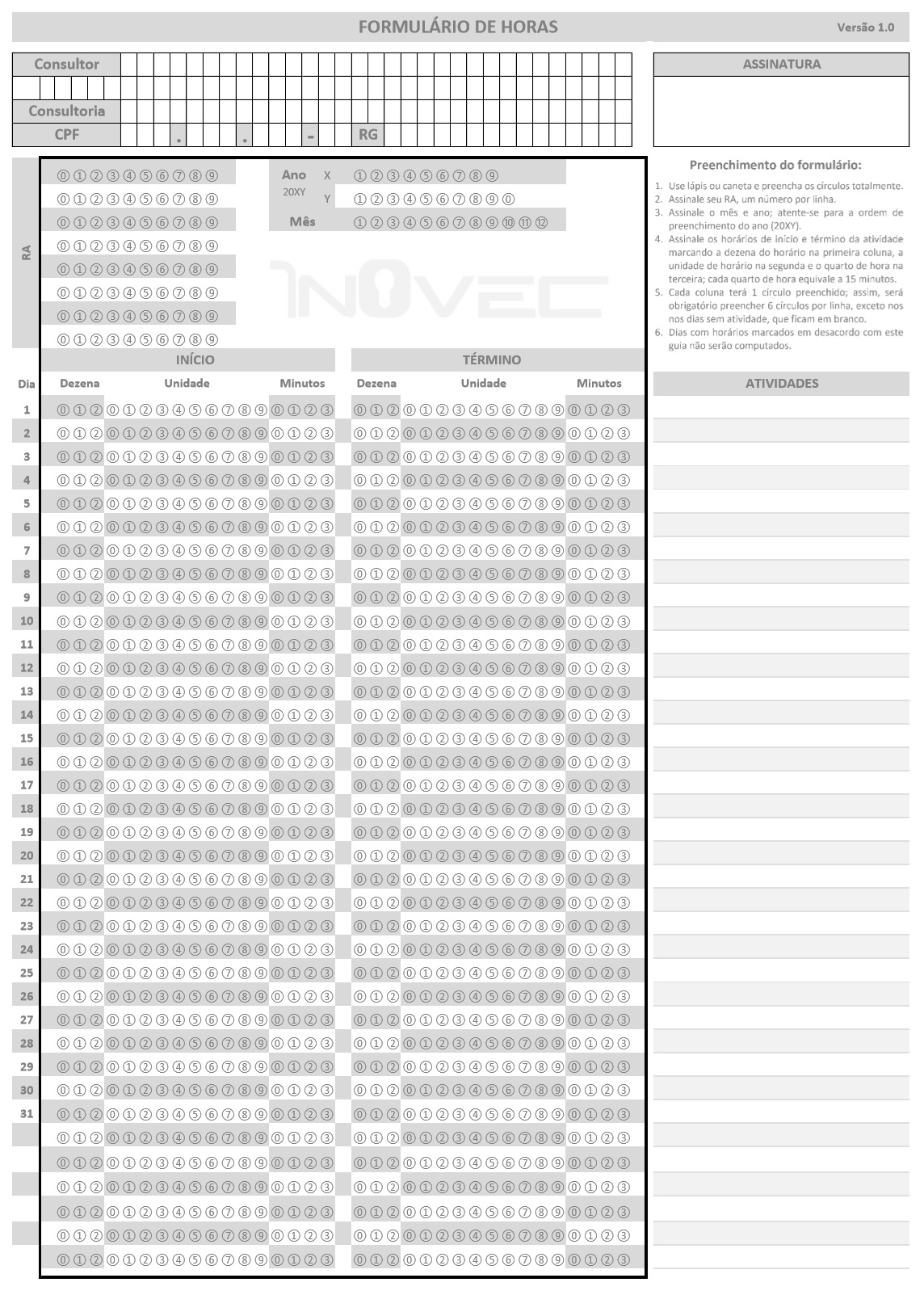
The standard form was a single page document consisting of a header and the scannable area, designed for an A4 sheet.
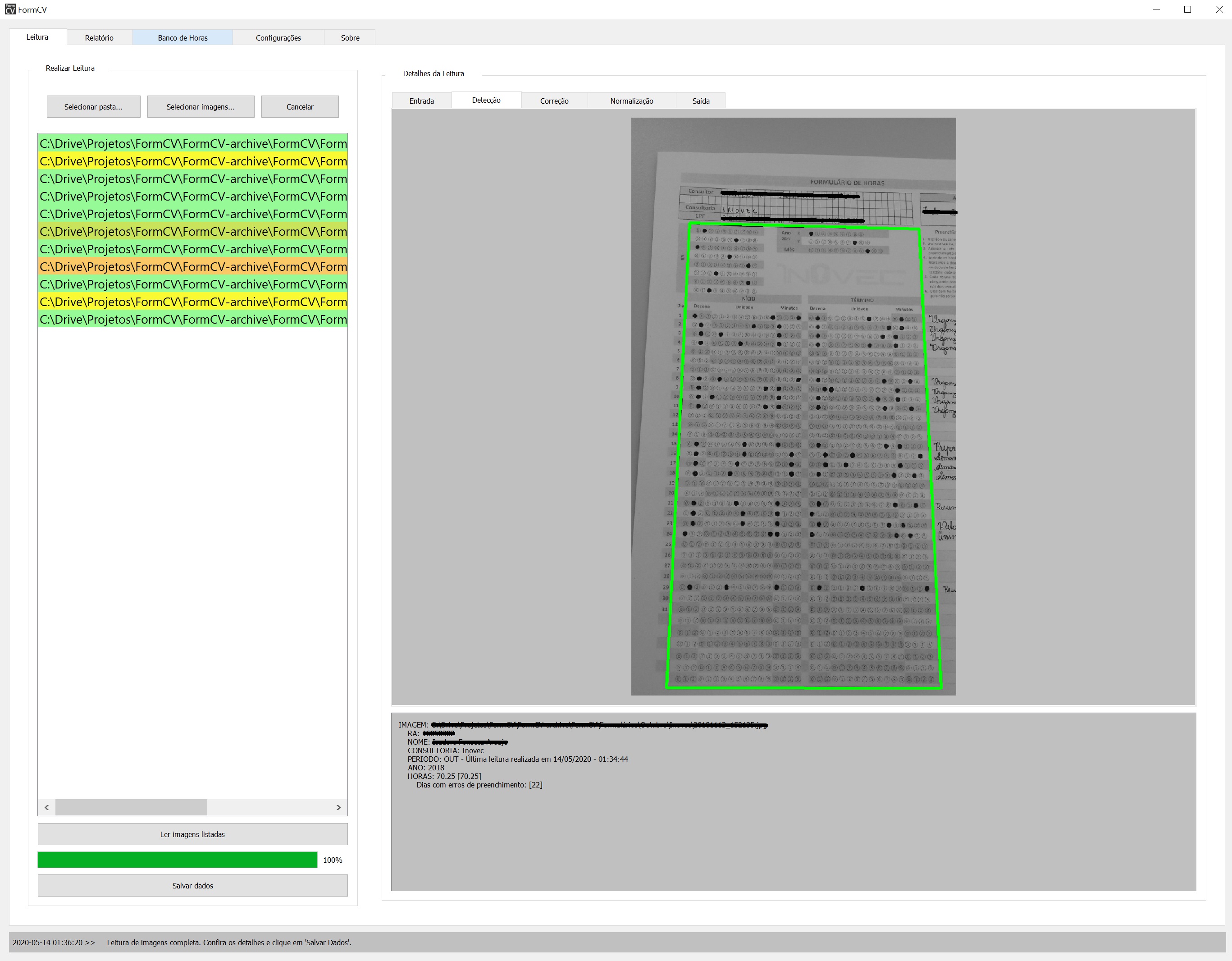
FormCV application
Forms scanning
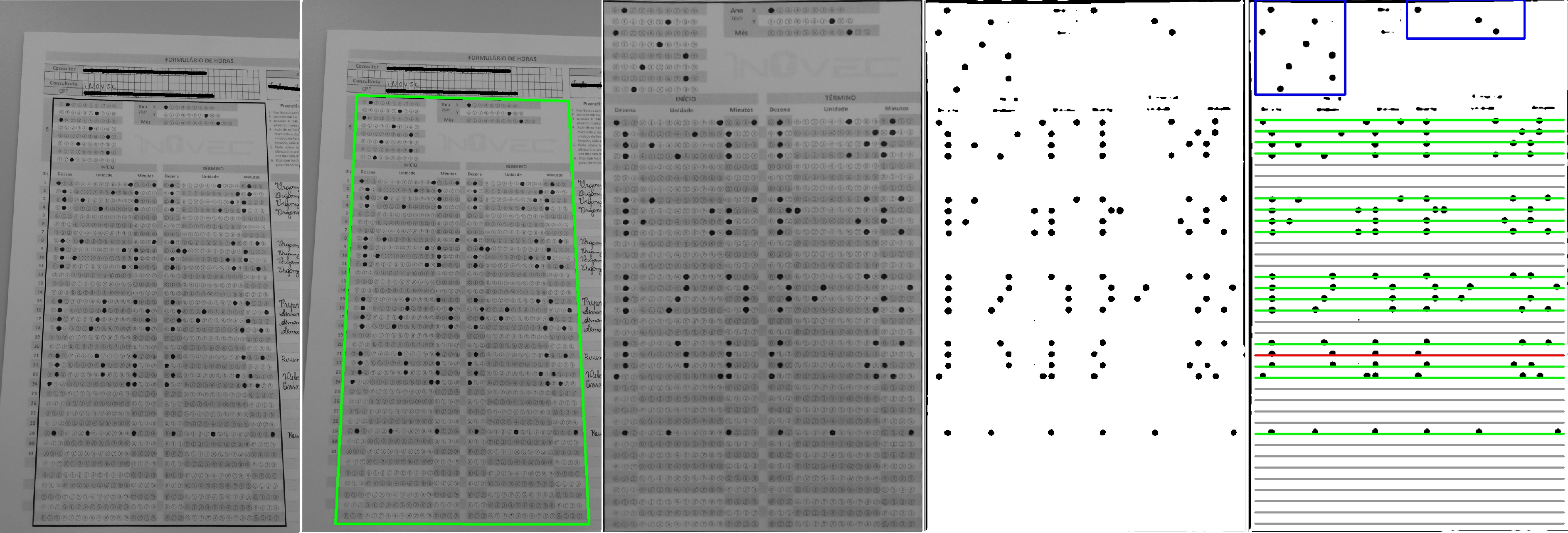
The application took, as input, a list of pictures of the forms. It would be able to extract the information in the forms as long as the scannable area was entirely in the image. It can also show the steps of the image processing, so the user could easily detect filling errors.
Database
All information was stored locally by the application. The first version used a CSV file to store information, but it later made sense to reorganize the information in a non-relational database.
The application provided the user an interface with the database where she could search, see, add and remove consultants.
Certificate Generation
An extra feature of the project is the automation of the certificate generation task. Originally, she would copy and paste everyone’s information in a Word file and then save it as a PDF. FormCV does that automatically! All she had to do was select a year, two months, optionally filter consultings and press “Generate Certificates”. Voilá! All certificates generated and stored in a folder of ther choice.

To write justified text to the PDF, I created a Python module called Justipy.
Conclusion
This was my first big project in Python, and it took me about 3 months to complete. Happy to notice, it solved the problem, reducing the effort from 2 weeks to 1 afternoon of photographs, and the application is still being used!